
Cosmic Find the Changes
Review
Cosmic Find the Changes delivers a straightforward observation challenge wrapped in friendly space artwork. The mistake limit is the standout mechanic—it turns casual tapping into a deliberate scan, which suits players who enjoy concentration puzzles. The optional timer adds urgency for those who want it. The main limitation is that the core loop never changes: find differences, avoid wrong taps. That consistency is either a strength or a drawback depending on how much variety you expect.
Full story
Comparing Two Cosmic Scenes
Each puzzle presents two nearly identical images side by side. One image contains small alterations: a character's expression might shift, an object could disappear, or a shadow may move. The player's task is to locate every variation and tap it directly. Tapping a real difference marks it as found; tapping elsewhere counts as a mistake. The challenge comes from how well the differences blend into busy, colorful space environments.
How Mistakes Shape Your Approach
A penalty system caps the number of incorrect taps allowed per scene. This rule changes how most people play. Instead of tapping quickly and hoping, players learn to scan methodically and confirm a difference before committing. The limit adds strategy without harsh punishment—it simply rewards patience over guessing. Some versions also include a timer, which creates mild time pressure and forces faster decisions, though the core loop remains careful observation.
Art Style and Visual Design
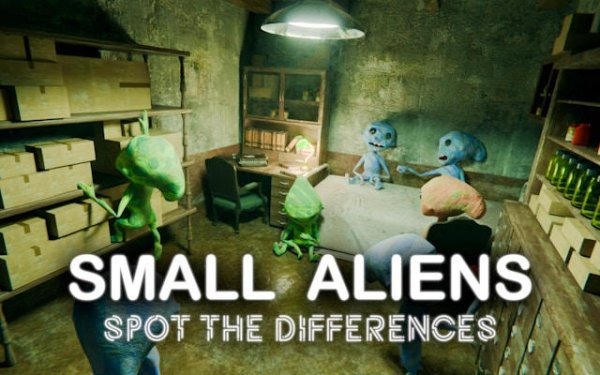
The artwork features friendly space characters surrounded by cluttered cosmic settings. Bright colors and playful designs keep the tone light, but the density of objects matters more than the theme. Busy backgrounds naturally hide small changes, so scenes with more visual clutter tend to be harder. The contrast between simple characters and detailed surroundings is what makes differences tricky to spot at a glance.
Building Observation Skills
Regular play exercises visual scanning, concentration, and short-term memory. Comparing two images trains the brain to register small details quickly, and timed rounds push faster decision-making. These cognitive demands are what give the game value beyond casual entertainment. Players who stick with it often notice their scanning speed and accuracy improving across scenes.
Practical Scanning Tips
Work through each image in a fixed pattern—top to bottom or left to right—rather than jumping around. Pay extra attention to areas with many objects, since differences tend to hide in clutter. When unsure, double-check before tapping to preserve your mistake allowance. With practice, you will complete scenes more consistently and with fewer wasted taps.
Compatibility
FAQ
Reader Comments
Sign in to comment
You must be logged in before posting a review or rating.
No comments yet. Be the first to comment!



Editorial Notes