
Creative Salon Makeover Studio
Review
Creative Salon Makeover Studio is a browser dress-up game built around a fixed four-step routine: makeup, hair, outfit, then nails. Its strongest feature is the absence of timers or scoring, which turns each character into a low-stakes canvas for color and pattern testing. The four distinct faces and skin tones make repeated play meaningful. The main limitation is the lack of save or export options, so finished looks are temporary. It suits players who want a quiet creative break rather than a progression-driven simulation.
Full story
A Step-by-Step Makeover Flow
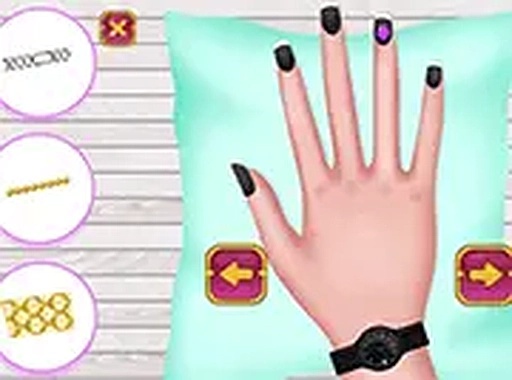
Creative Salon Makeover Studio guides you through a fixed sequence for each of four characters. You begin at the makeup station, selecting shades and tools to enhance facial features. Next comes hair styling, where you choose cuts and highlights. After that, you assemble a look from tops, bottoms, and accessories. The final stop is the nail station, where you paint and add patterns or stickers. Every action uses drag-and-drop, so the process stays consistent from start to finish. [IMG_1]
No Timers, No Pressure
The game deliberately removes countdowns and scoring pressure. You can linger on any step, swap colors repeatedly, and compare combinations without penalty. This structure encourages experimentation: matching nail art to an outfit theme, or contrasting hair color with makeup tones. Because there is no wrong way to play, the only feedback is your own judgment of how small changes affect the overall look. [IMG_2]
Four Characters, Distinct Results
Each of the four characters has a different facial structure and skin tone. The same makeup shade or hair color will read differently on each one, which makes repeating the process worthwhile. The wardrobe includes a range of tops, bottoms, and accessories, while nail options span simple colors to detailed patterns and stickers. Completing all four makeovers lets you explore styles from subtle and elegant to bold and playful. [IMG_3]
Built for Any Screen
The game runs directly in a browser on phones, tablets, and computers. The interface adapts to both touch screens and mouse input, and full-screen mode gives a larger view of fine details. No downloads or account sign-ups are required, so a session can start immediately. That accessibility suits short creative breaks as well as longer, unhurried styling sessions.
Compatibility
FAQ
Reader Comments
Sign in to comment
You must be logged in before posting a review or rating.
No comments yet. Be the first to comment!





Editorial Notes