
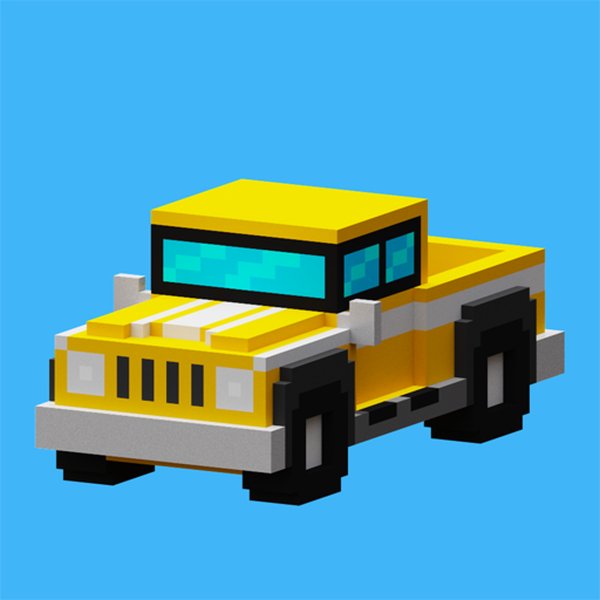
Urban Traffic Navigator
Review
Urban Traffic Navigator stands out for its intuitive controls and clear visual design. The gradual difficulty curve ensures that beginners can learn without frustration, while experienced players will find plenty of challenge in later stages. Power-ups add a layer of strategy without complicating the core gameplay. The family-friendly presentation makes it a safe option for players of all ages looking to test their reflexes in a city driving setting.
Full story
Navigating the Urban Maze
Urban Traffic Navigator puts players in control of a car moving through a bustling city environment. The core objective is straightforward: travel as far as possible without colliding with other vehicles or roadside obstacles. Roads are filled with cars moving at different speeds, and barriers appear without warning, requiring quick adjustments. The game rewards careful observation and timely steering, making each session a test of concentration. As players progress, the density of traffic increases, and turns become sharper, demanding faster reactions.
Control Scheme and Responsiveness
Players can steer their vehicle using either keyboard arrow keys or on-screen touch controls, depending on their device. An accelerator button increases speed, while a brake helps slow down for tight corners. The controls are designed to be intuitive, allowing newcomers to start immediately while offering enough precision for experienced players to master. Responsive handling ensures that every input translates directly to on-screen movement, which is crucial for avoiding sudden hazards. This straightforward setup keeps the focus on the driving challenge itself.
Visual Style and Road Clarity
The game uses bright, clear graphics that make it easy to distinguish between lanes, obstacles, and other cars. This visual clarity is important for fast decision-making, as players need to spot upcoming threats from a distance. The city backdrop includes buildings, road markings, and changing light conditions that add atmosphere without distracting from gameplay. The clean art style ensures that players of all ages can easily read the road ahead, reducing frustration and allowing them to concentrate on improving their scores.
Power-Ups and Short-Term Advantages
Scattered along the road are special items that provide temporary benefits. A speed boost increases velocity for a few seconds, helping players clear dense traffic sections. A shield protects against a single collision, allowing one mistake without ending the run. These power-ups appear randomly, encouraging players to plan their path to collect them while still avoiding obstacles. Using them at the right moment can mean the difference between a short trip and a long, high-scoring drive.
Progression and Difficulty Curve
Urban Traffic Navigator gradually increases its challenge as players demonstrate skill. Early rounds feature sparse traffic and wide roads, giving beginners time to learn the controls. Later stages introduce more vehicles, narrower lanes, and faster-moving obstacles. This steady ramp-up keeps the game engaging for longer play sessions while remaining accessible to casual players. There are no sudden difficulty spikes, which helps maintain a fair and enjoyable experience for everyone.





Reader Comments
Sign in to comment
You must be logged in before posting a review or rating.
No account? Create one
No comments yet. Be the first to comment!